
In riflematch.com there is now a Competitor mode for use when you are shooting a match. Included in that is also a function to help you estimate distances using the scope reticle. In this post we’ll go through that functionality very briefly.
Get in to milling mode
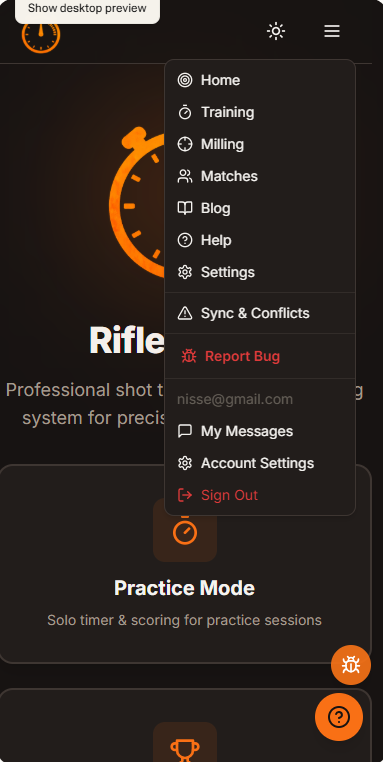
The distance calculation feature is available both from Competitor mode and from the main menu. In the main menu select Milling
Main UI for the distance calculator
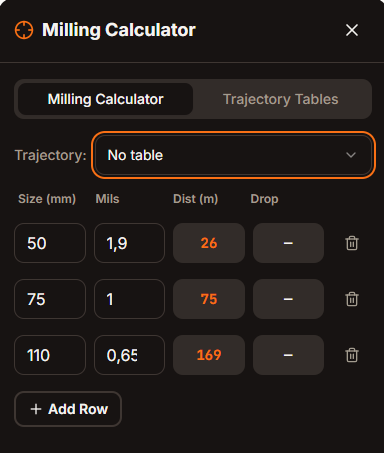
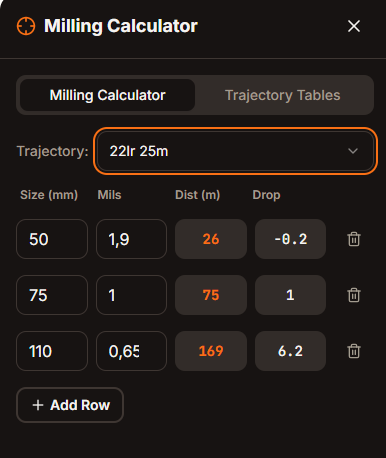
In the main UI for the distance calculator you have the Milling Calculator and the Trajectory Tables panels.
If you just want to do a quick distance calculation you simply enter the size of the target in millimeters (mm) and tjhen the mil value you measure it to be using your scope. The sizes can be prepared ahead of a stage and it the 3 default rows aren’t enough you can always add more rows. The distance will be calculates as soon as you enter the mil values.
Adding your trajectory/drop values
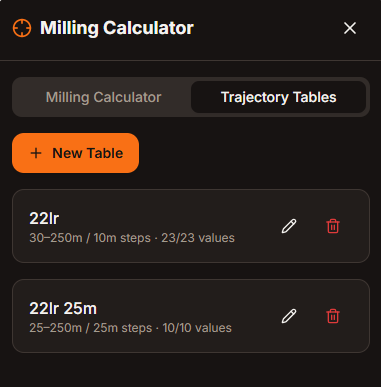
If you want to add your ballistics you can do it quickly in the Trajectory tables view. Here you can add new tables and access saved tables. The tables will be saved on your device for easy access next time you need them. If you are logged in they will be saved to your profile.
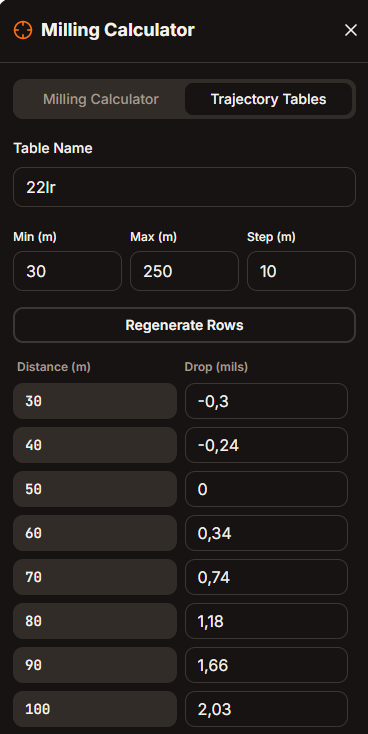
To create a new table, simply click New Table. When the new table panel is shown you can name the table and then set the relevant ranges for your table. Enter your minimum and maximum range in meters (m) and the size of the incremental values, and click Generate Table. In this example we have the range 30 to 250m with 10m increments. Typically 10-12 values is more than enough for the program to interpolate the values. When you have entered your relevant drop values click Save Table.
Once the trajectory table is created you can return to the Milling Calculator view and now you see also your elevation drop along with the distance to the target. Easy peasy
Upptäck mer från
Prenumerera för att få de senaste inläggen skickade till din e-post.
Ett svar på ”Using Competitor mode in riflematch.com to mil a target”